An agentic pipeline at home
I’ve started working on a private project and one of my first issues was to store, build, and run the project in a private settings. The project is a webapp with a local database, nothing fancy, but the data and code is private and I’m using claude to ease my work. Claude code is fun and games but it’s relatively hard to track multiple issues unless you manually handle worktrees or serialize work, so I wanted an issue tracker and a code repo.
The first thing I did was to install forgejo, a fork of gitea, in my trusty home server. The poor thing is a very modest dual core NUC with plenty of ram. All the services are dockerized on bare metal. Proxmox is on the way but that’s not the scope of this post.
Once I installed forgejo, i wanted a build pipeline, so i need a runner registered to the instance.
I wanted to mimic what a production pipeline looks like:
- runners may run as docker containers or as processes in a separate VM
- runners may create docker images, but should not pollute the server own docker image store, to avoid polluting the store during tests (see the lethal trifecta)
- runners may not create repos, users, or companies (this is a given but it’s better to check)
Additionally, i wanted:
- make claude generate the code after opening issues on the project
- automatically deploy pull requests to a beta deployment
- automatically deploy tag on main to production deployment (well, as production as a private service may be)
The guide in forejo tells you to add a runner as part of the forgejo server’s docker compose, but i needed a way to move the runner to a separate VM in the future, so I created a separate docker compose file.
So i followed the guide but with some variations. Here is the docker compose, commented wherever necessary:
services:
  # docker-in-docker mandatory for isolation
  docker-in-docker:
    image: data.forgejo.org/oci/docker:dind
    # Must set hostname as TLS certificates are only valid for docker or localhost
    hostname: docker
    container_name: 'docker_dind'
    privileged: 'true'
    restart: 'unless-stopped'
    environment:
      DOCKER_TLS_CERTDIR: /certs
    # this is important as forgejo runs on a private instance and its address is private and resolved by the home dns server
    dns:
      - "<ip address of my home dns server>"
    networks:
    # same as before, this should stay in the same network as my dns server
      - dns
    volumes:
    # cache should be persistent across reboots
      - /mnt/data/dind-cache:/var/lib/docker
      # dind certificate in shared volume
      - docker_certs:/certs

  runner:
    image: 'data.forgejo.org/forgejo/runner:13'
    container_name: 'runner'
    restart: unless-stopped
    links:
      - docker-in-docker
    depends_on:
      docker-in-docker:
        condition: service_started
    environment:
      DOCKER_HOST: tcp://docker:2376
      # certificate for dind must be read from shared volume
      DOCKER_CERT_PATH: /certs/client
      DOCKER_TLS_VERIFY: "1"
    # this is important as forgejo runs on a private instance and its address is private and resolved by the home dns server
    dns:
      - "<ip address of my home dns server>"
    networks:
    # same as before, this should stay in the same network as my dns server
      - dns
    # User without root privileges, but with access to `./data`.
    user: 1000:1000
    volumes:
      - ./runner-data:/data
      # dind certificate in shared volume
      - docker_certs:/certs:ro
    command: 'forgejo-runner daemon --config runner-config.yml'

  # cache without limits is going to run indefinitely, so a periodic prune is necessary
  pruner:
    image: docker:27-cli
    container_name: forgejo-dind-pruner
    restart: unless-stopped
    depends_on:
      docker-in-docker:
        condition: service_started
    environment:
      DOCKER_HOST: tcp://docker-in-docker:2376
      DOCKER_CERT_PATH: /certs/client
      DOCKER_TLS_VERIFY: "1"
    networks:
      - dns
    volumes:
      - docker_certs:/certs/client:ro
    entrypoint: ["/bin/sh", "-c"]
    command: >
      "
      while true; do
        echo \"[$(date -Iseconds)] Running docker system prune on dind...\";
        docker system prune -af --volumes --filter 'until=24h' || true;
        sleep 86400;
      done
      "

# shared volume for docker certificates
volumes:
  docker_certs:

# network is preexistent
networks:
  dns:
    external: 'true'
As you can see, relatively straightforward. Pain points were:
- understanding how to make runners resolve forgejo internal address (i run my own domain and dns, so forgejo address resolves correctly only at home) => this has been solved by specifying both the dns address and by sharing the same docker network with the dns server
- understanding which volumes should be shared and which not
At this point, only claude integration remains. I saw a great plugin already made by https://github.com/markwylde/claude-code-gitea-action and configured in my forgejo repo:
#.forgejo/workflows/claude-assistant.yml
name: Claude Assistant

on:
  # Trigger on issue comments (works on both issues and pull requests in Gitea)
  issue_comment:
    types: [created]
  # Trigger on issues being opened or assigned
  issues:
    types: [opened, assigned]
  # Note: pull_request_review_comment has limited support in Gitea
  # Use issue_comment instead which covers PR comments

jobs:
  claude-assistant:
    # Basic trigger detection - check for @claude in comments or issue body
    if: |
      (github.event_name == 'issue_comment' && contains(github.event.comment.body, '@claude')) ||
      (github.event_name == 'issues' && (contains(github.event.issue.body, '@claude') || github.event.action == 'assigned'))
    runs-on: ubuntu
    permissions:
      contents: write
      pull-requests: write
      issues: write
      # Note: Gitea Actions may not require id-token: write for basic functionality
    steps:
      - name: Checkout repository
        uses: actions/checkout@v4
        with:
          fetch-depth: 0

      - name: Run Claude Assistant
        # actual code uses my own internal fork of this, because of a small bug in the original implementation
        uses: markwylde/claude-code-gitea-action@gitea
        with:
          gitea_token: ${{ secrets.CLAUDE_FORGEJO_TOKEN }} # Use standard workflow token
          claude_code_oauth_token: ${{ secrets.CLAUDE_CODE_OAUTH_TOKEN }}
          model: "claude-sonnet-5"
          anthropic_model: "claude-sonnet-5"
          timeout_minutes: "60"
          trigger_phrase: "@claude"
          # Optional: Customize for Gitea environment
          custom_instructions: |
            You are working in a Forgejo environment. Be aware that:
            - Some GitHub Actions features may behave differently
            - Focus on core functionality and avoid advanced GitHub-specific features
            - Use standard git operations when possible
This setup lets me use my claude subscription by creating a claude token and copying it in a secret called CLAUDE_CODE_OAUTH_TOKEN. The workflow requires an access token, for my use case I’ve created a limited user called “claude” that can only access repositories where I set it as collaborator.
Once setup, claude is triggered once you mention it in either the issue:
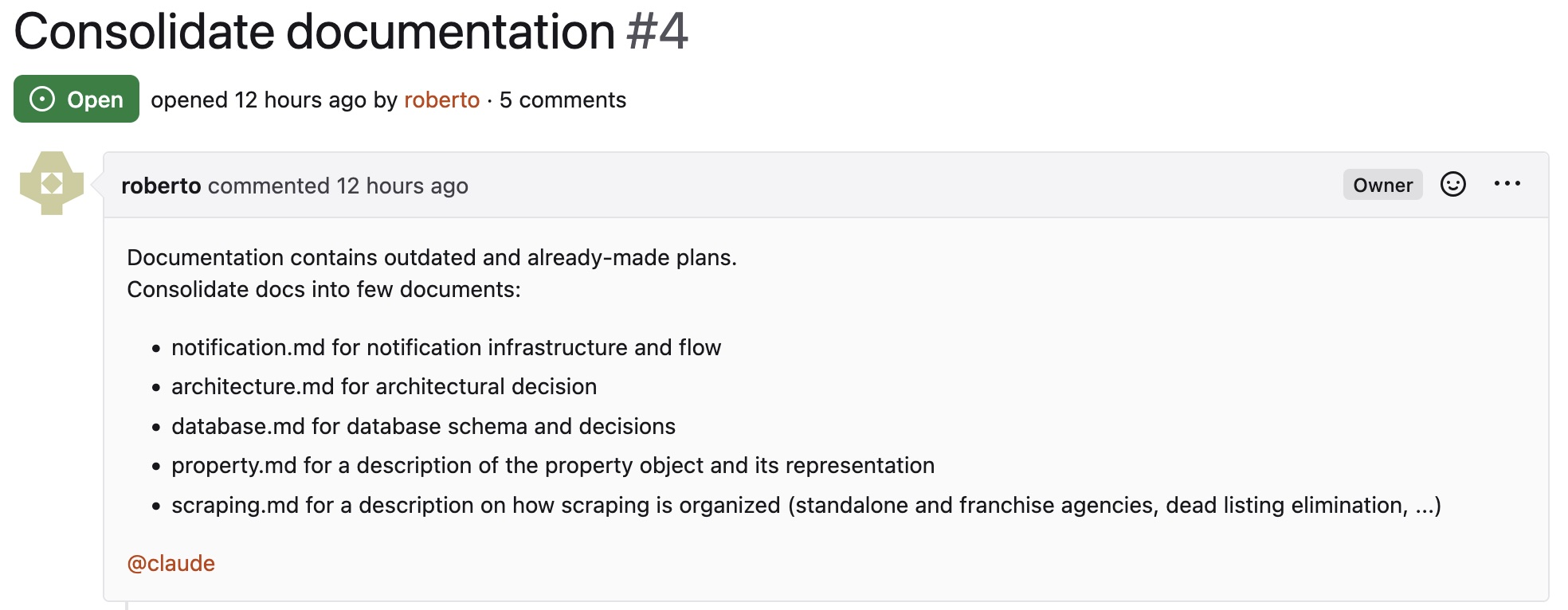 Or a comment:
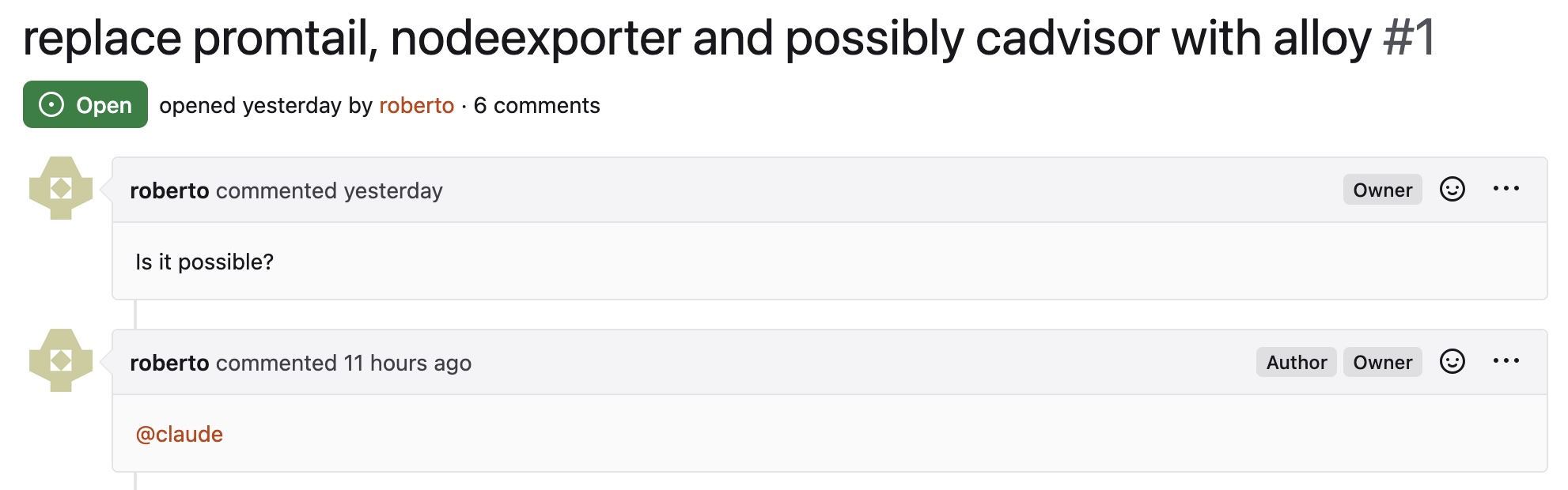
In turn, claude replies to the issue thread:
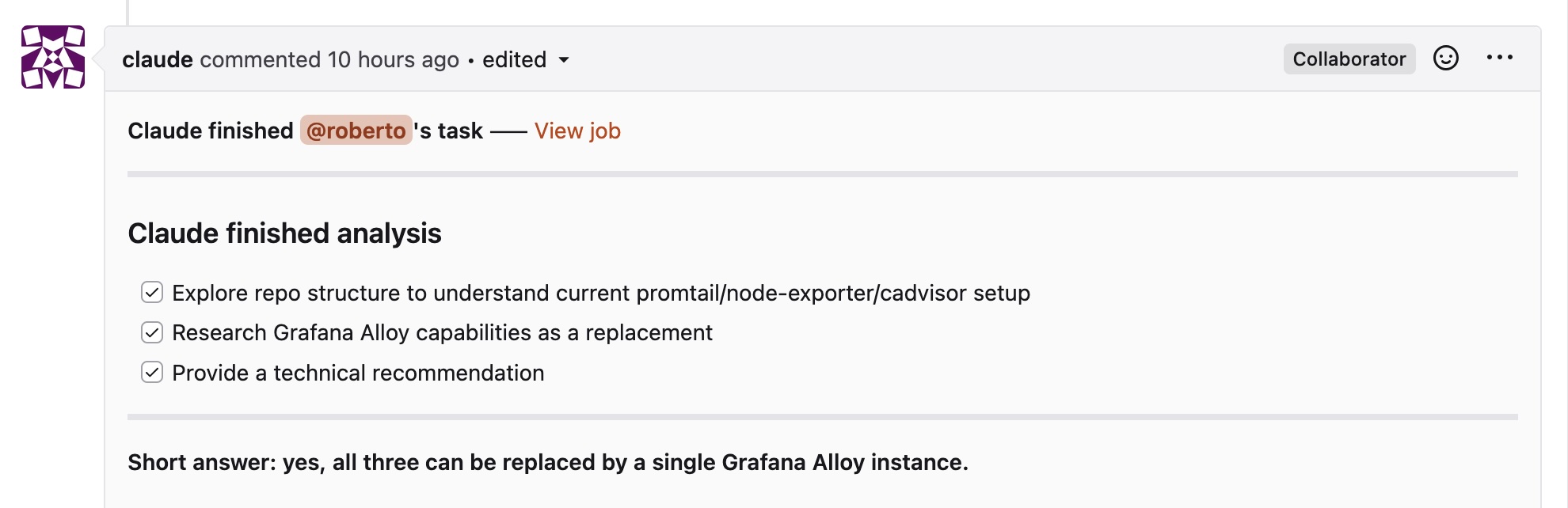 And optionally open pull requests:
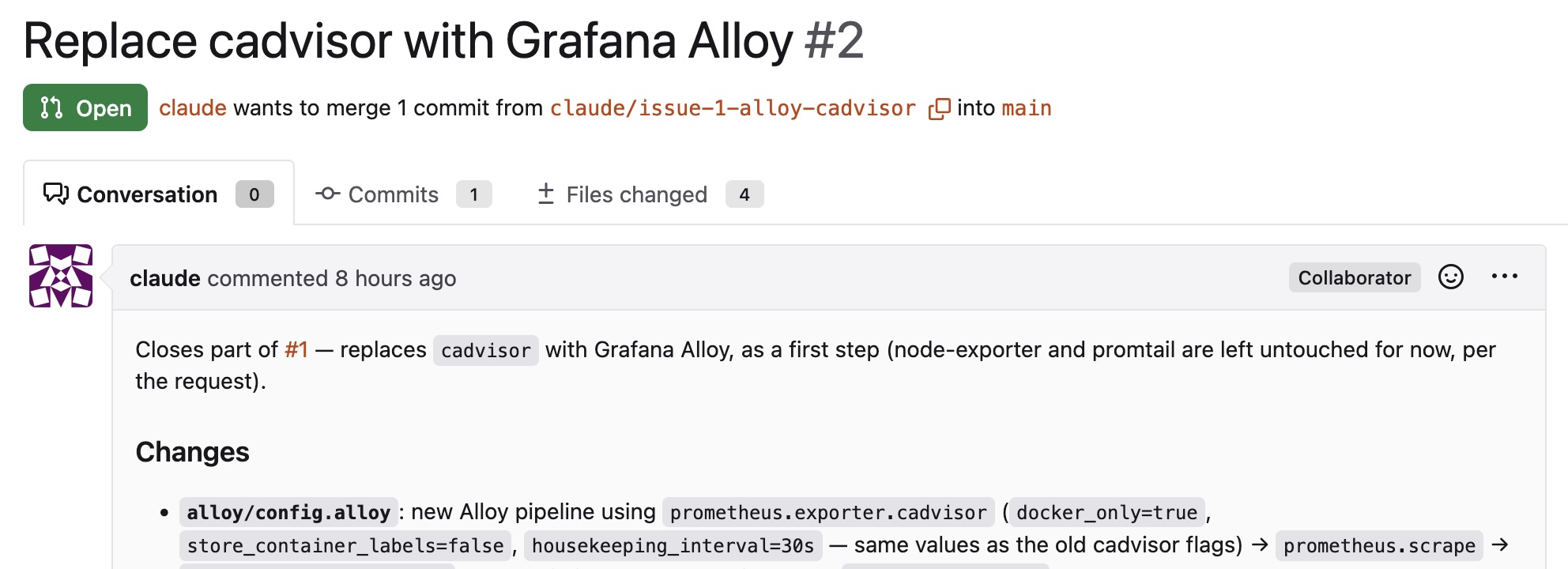
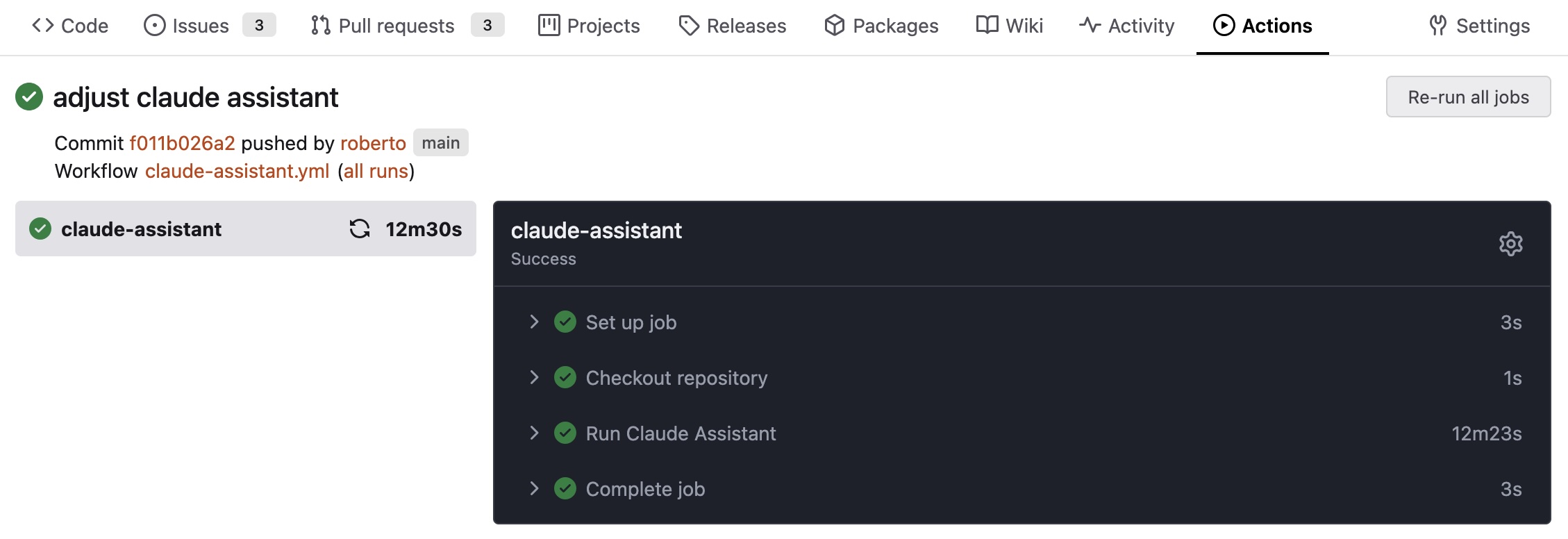
The logs of the actions can be seen in the Actions tab:
In the next posts I’ll document how I integrated the pipeline with beta deploys and “production” deploys, so that I can check the agent’s work without running the service on live data.